screen
textEvery window, tab, and document you look at becomes searchable text. Find that paragraph by its exact words, or by what it meant when you can't remember the wording.
// total recall · fully private
Mnema quietly records your screen, audio, and activity, then lets you search it, scrub back to any moment, and ask an AI about your own past. All of it stays on your Mac.
// how it works
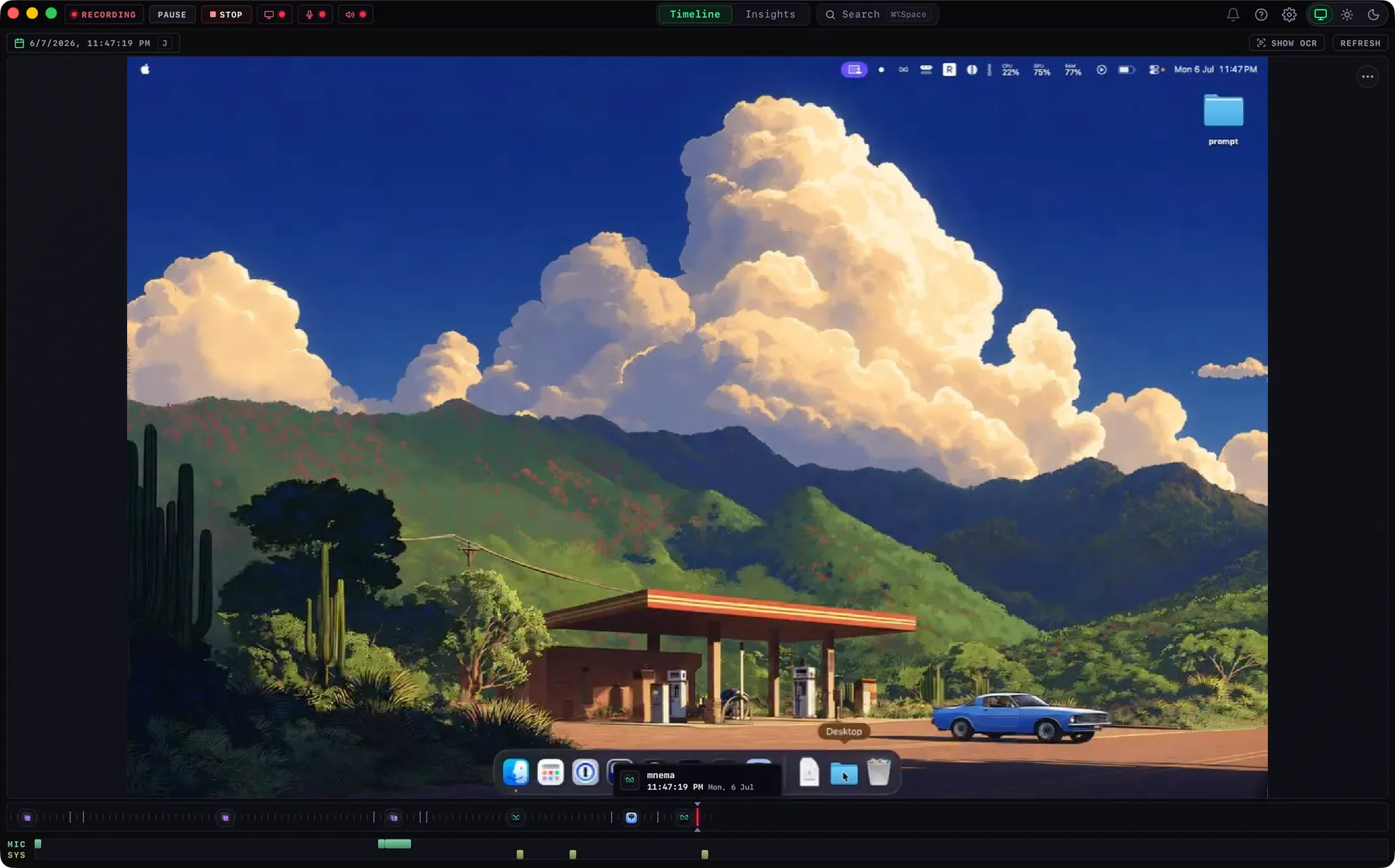
Mnema runs in the background, capturing your screen, what you hear and say, and which apps you use. It pauses itself when you step away, and you can pause it or hide any app any time.
Summon a search bar from anywhere and find any moment in seconds: by what was on screen, what was said, or which app you were in. Scrub your whole day back to the exact frame.
Ask plain-language questions about your past, answered from your own history. Over time, Mnema builds a private picture of how you actually spend your time.
// recall
Search by what you saw or heard, filter by app or time, then scrub a live timeline of your day to the exact frame: full-res screen, audio, and transcript.
// what it captures
Three streams of your day, captured continuously and turned into one searchable record.
Every window, tab, and document you look at becomes searchable text. Find that paragraph by its exact words, or by what it meant when you can't remember the wording.
Meetings, calls, and voice notes are transcribed with speaker labels, so you can search what was said as easily as what was written.
Which app, which site, how long: a quiet log of your workday you can filter, scrub, and ask questions about. It even remembers the page, so you can jump back to the exact tab.
// ask ai
Type a question the way you'd ask a colleague who never forgets. Mnema answers from your own history, and every answer links straight to the frames and clips it's drawn from, so you can verify it yourself.
// insights
From everything it records, Mnema builds a quiet, private picture of how you spend your time: the projects you're deep in, where your focus goes, and what you keep coming back to. It's yours to read, correct, or wipe.
You've been heads-down on the Q3 dashboard launch for two weeks straight.
Your deepest focus is in the morning. Afternoons skew toward meetings and Slack.
// private by construction
Privacy isn't a setting you switch on. It's how Mnema is built. Recording, reading text from your screen, transcribing audio, and search all happen on your Mac, and you hold every control.
Nothing leaves. Not to us, not to anyone.
Capture, text extraction, transcription, and search all run on-device. No account, no servers, no telemetry. There's no Mnema cloud to send anything to.
Passwords, keys, and tokens are detected and stripped from your record's searchable text, so neither an AI model nor a connected tool ever sees them.
Your record is encrypted on disk, so it's protected even if your machine isn't.
Keep history forever or auto-delete after 7, 14, or 30 days. It's your call, changeable any time.
Wipe the last few minutes of capture instantly, or clear the AI's entire understanding of you, without losing your recordings.
Exclude any app from recording, or pause capture entirely whenever you want privacy.
// and quietly, more
Play any day back like a receipt: what you did, hour by hour, with real thumbnails from your own screen.
Meetings get speaker labels, worked out on your Mac, and you can match voices to people you name.
Find things by what they were about, not just the exact words. Download one small model and it works on-device.
Mnema can remember which page you were on and reopen the exact tab in your browser.
Plug your own tools into Ask AI through MCP, so answers can draw on more than your history.
Want higher-accuracy transcripts? Use your own Deepgram account. Audio leaves your Mac only if you turn this on.
Running out of space? Recording pauses itself and picks back up when there's room again.
Mnema keeps itself current in the background.
// for power users
Let your own AI agents and command-line tools search your redacted history through a brokered, read-only bridge.
// get started
Download Mnema and build a private, searchable memory of your work: one you can scrub, search, and ask anything. Open source, free for 30 days.
Download for macOS Apple Silicon